
Veritran
Introduction
Veritran is a digital banking, wallet and payments fintech. Its platform was used to build the apps of many of the most important banks in the region, which reach over 50 million active customers in Argentina, Chile, Mexico, Colombia, Peru, Ecuador, Guatemala, the United States and the Caribbean. Some of them:
- Argentina: BNA+, from Banco Nación, and Cuenta DNI, the wallet of Banco Provincia.
- Mexico: Banorte Móvil and Afirme Móvil.
- Chile: the BancoEstado app.
The platform is low-code. An app is defined in an XML configuration file, and on each device a runtime interprets it and builds the interface, the logic and the navigation. The XML is refreshed every time the app starts, so changes are published as configuration, without building new binaries or going through the stores. With the same definition you get apps for Android phones and iPhones, tablets, web and smartwatches.
We were Veritran's technology partner for about 11 years. When we started they were a small company, and we supported them through very strong growth. In that time we built the runtimes, the component system, the smartwatch apps, the web IDE to create the apps, the process and transaction editors and the accessibility support, and provided technical consulting.
The runtimes
I built the first version of the runtime that interprets the XML on iPhone and Android. It was a complete UI system: we had to model all the components, the layout, the events and the logic. Since it was a banking platform, security had to be taken into account throughout the design.
Rendering and layout
I created a low-level rendering and layout system, with its runtime on each platform:
- It implements the web box model: margins, paddings and positioning.
- It implements a flex layout from scratch, following the W3C flexbox specification.
- Layout is solved in two passes. In the first one, each container tells its children the available space and each child answers how much space it wants. In the second one, the container places them.
- Sizes can be expressed in different units: pixels, device points or relative to the width or the height.
Smartwatches
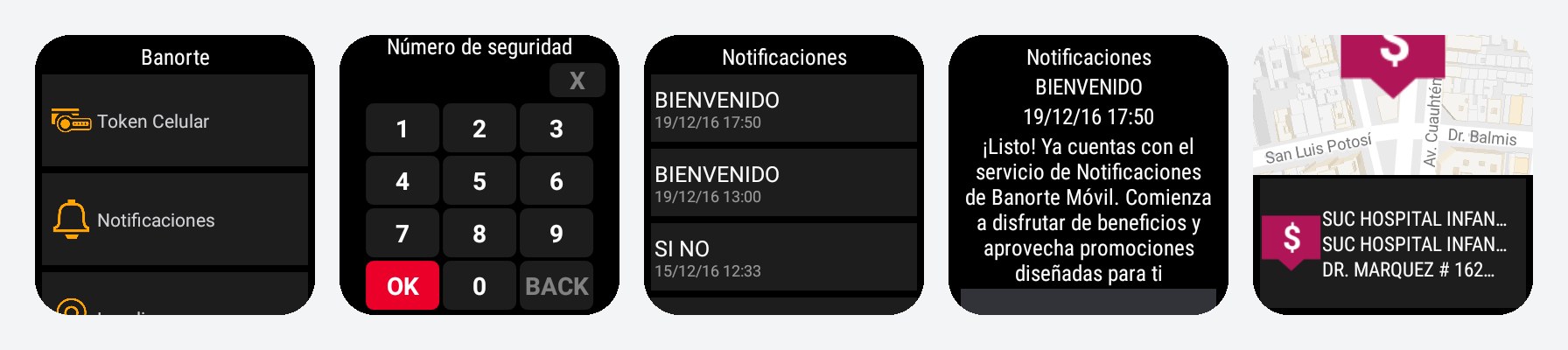
I also built the smartwatch runtimes, on three platforms: Apple Watch, Android Wear and Samsung Gear (Tizen). They implemented a subset of the XML.
Veritran Designer
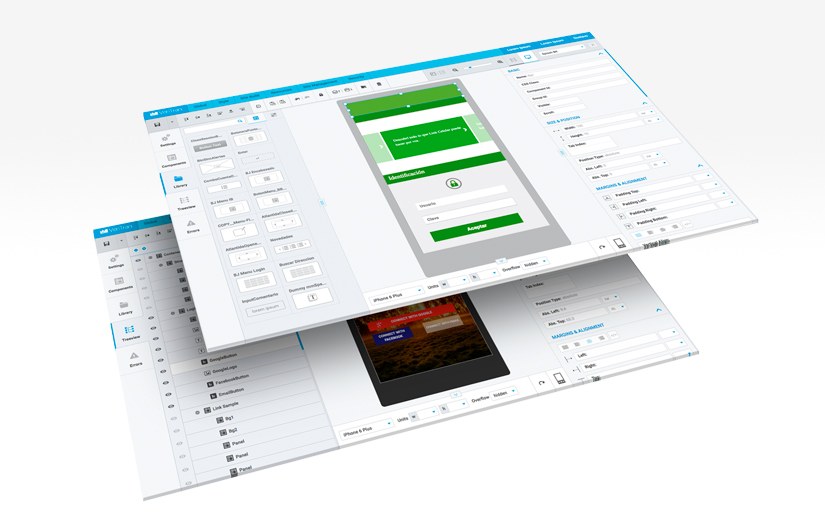
I designed and coded Veritran Designer, later renamed Veritran Studio: a web IDE to create the apps visually. I built it with my team, and I coded the core myself.
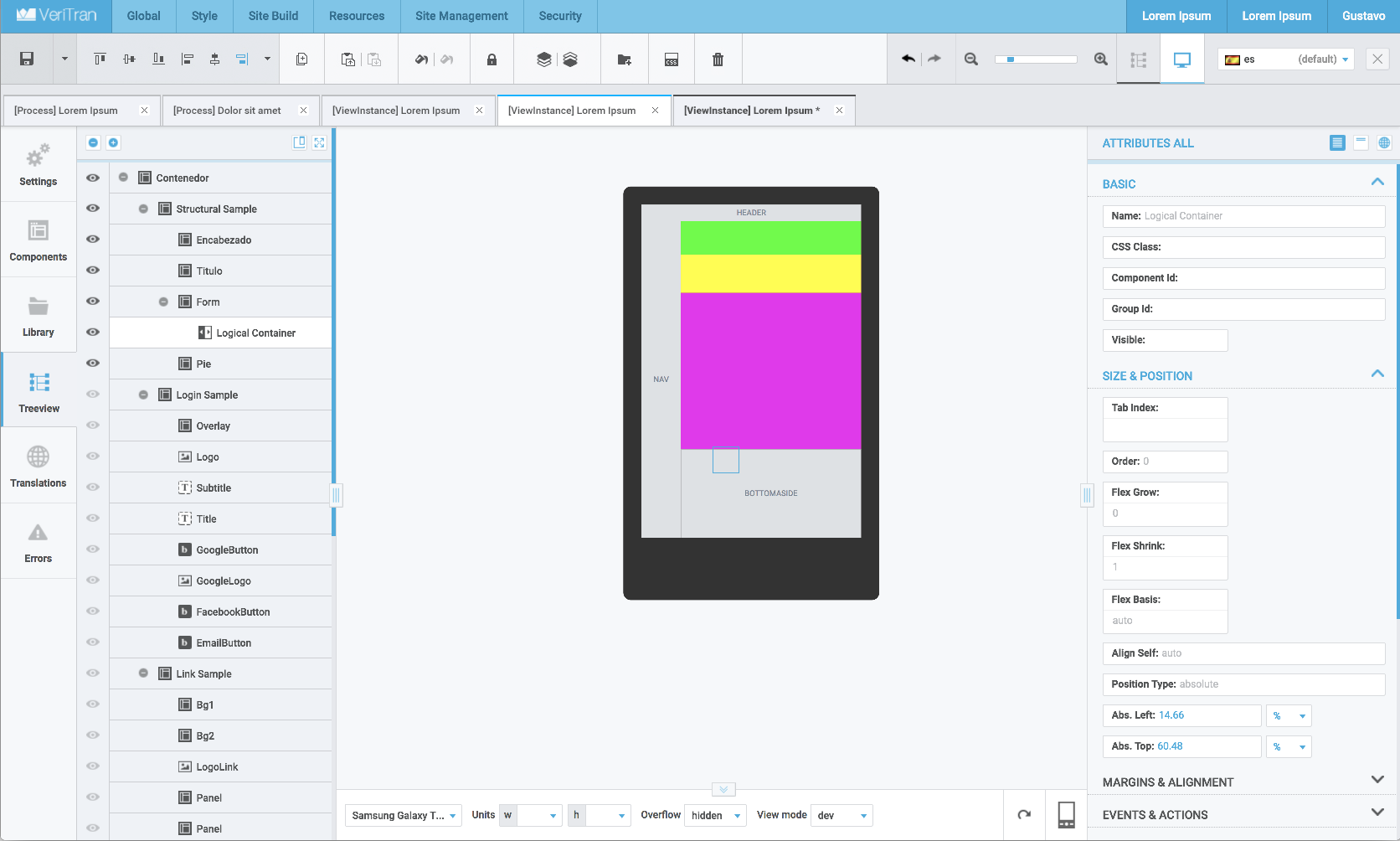
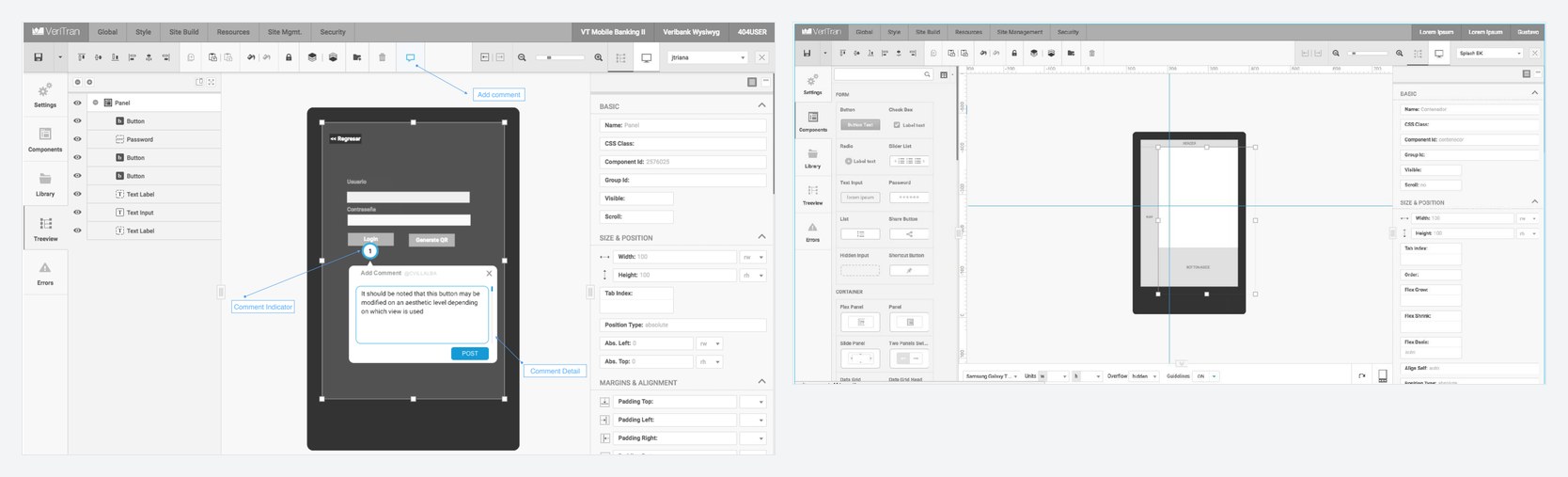
The screen has panels on the left and on the right and a canvas in the middle:
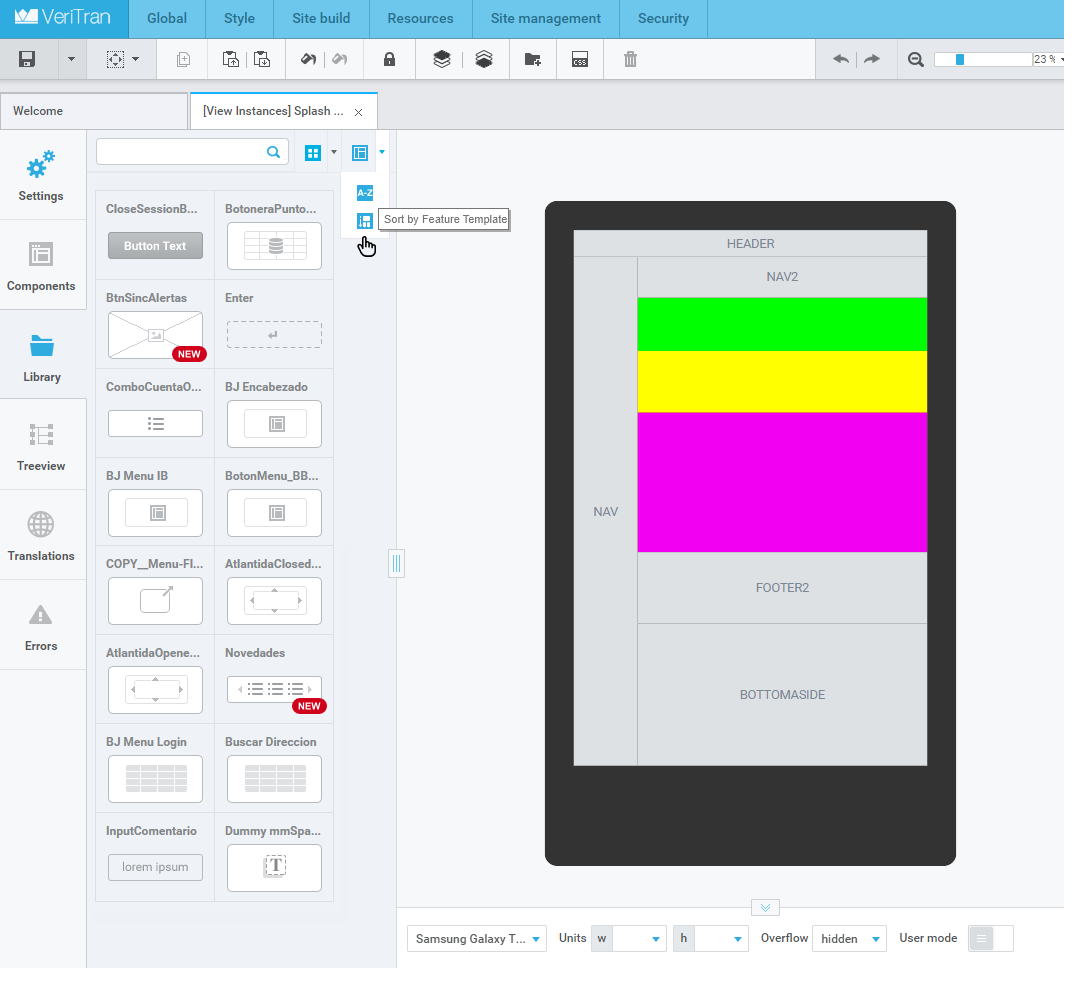
- Left panel: app settings, component gallery, library, component tree of the screen, translations and errors.
- Canvas: shows the screen being designed and lets you navigate it with zoom, move and resize components, drag them and edit them in place. I built it with SVG.
- Right panel: the attributes of the selected component, such as positioning, margins, layout and styles.
- Devices: you can choose between different emulators and sizes, and the screen adjusts in real time.
Features
- Components: native and third-party. They range from basic components, like a text input, to very high-level ones: maps, charts, embedded HTML, datagrids, PIN input, carousels and popups.
- Library of higher-level reusable components.
- Contextual actions: when you select a component on the canvas its most common actions show up. For example, a table lets you add rows and columns.
- Attributes with static values, variables or localized texts, with different data types and rich editors, like a color picker.
- Styles: CSS-like classes with inheritance and cascade, a general styles editor and themes that affect several screens.
- Events and links: a component can navigate to another screen, open a popup, run a process, fire an event, open a URL or send an email.
- Editing: copy and paste components and also their styles, and lock components.
- User mode: shows the screen with simulated data, instead of the empty boxes of the design.
- Layers like in Photoshop: they can be hidden and their z-index is managed.
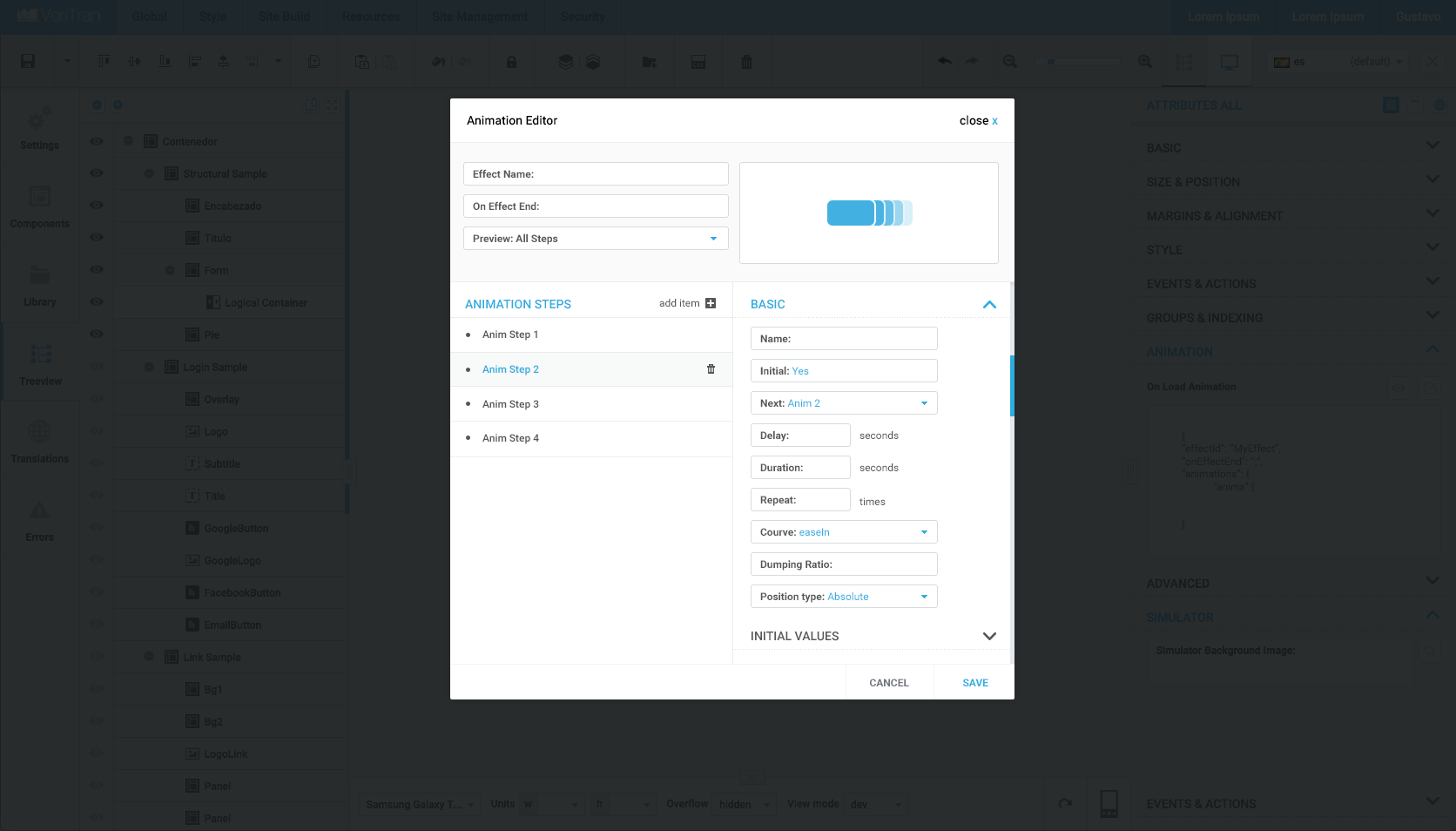
- Animations, with an editor of steps that have effects, easing curves, delay and repetitions.
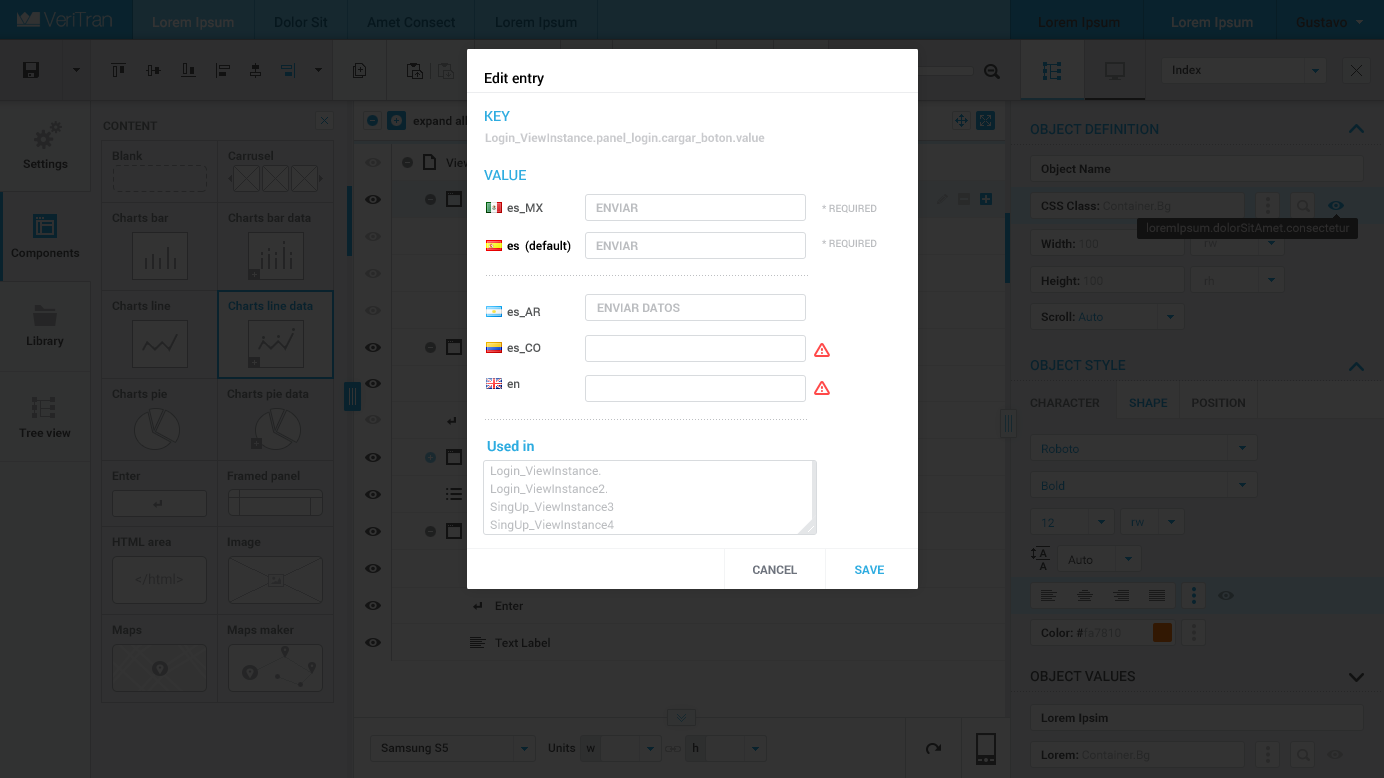
- Multi-language: management of locales and translations, with an editor to see the texts that are missing a translation.
- Tabs like in an IDE, to edit several screens at the same time.
- Error panel, which checks the screen and shows both properties with wrong values and logic errors.
- Undo/redo.
- Comments: collaborators leave comments inside the screens, attached to the elements.
- Guidelines and rulers, like in any visual editor.
- Publishing: the app is published and tested on a phone or on the web. You can also publish only the screen being edited.
Architecture
We built everything with TDD. The application was built on Backbone and Marionette, and on top of them I designed a framework with a Flux architecture:
- Observable models: views reacted on their own to model changes.
- Actions: every state change was an action that a dispatcher sent to the store that handled it.
- Middlewares: they ran before and after each action and handled cross-cutting concerns, such as navigation, modals, saved preferences and notifications.
- Developer console: it was invoked from the Chrome console and let you run actions, see the history of actions and the complete state of the application.
The canvas was split into independent subsystems: single and multiple selection, drag, zoom, panning and devices.
Process and transaction editors
The logic of the apps is defined with two visual editors, also on a canvas, where each box is an action.
Processes
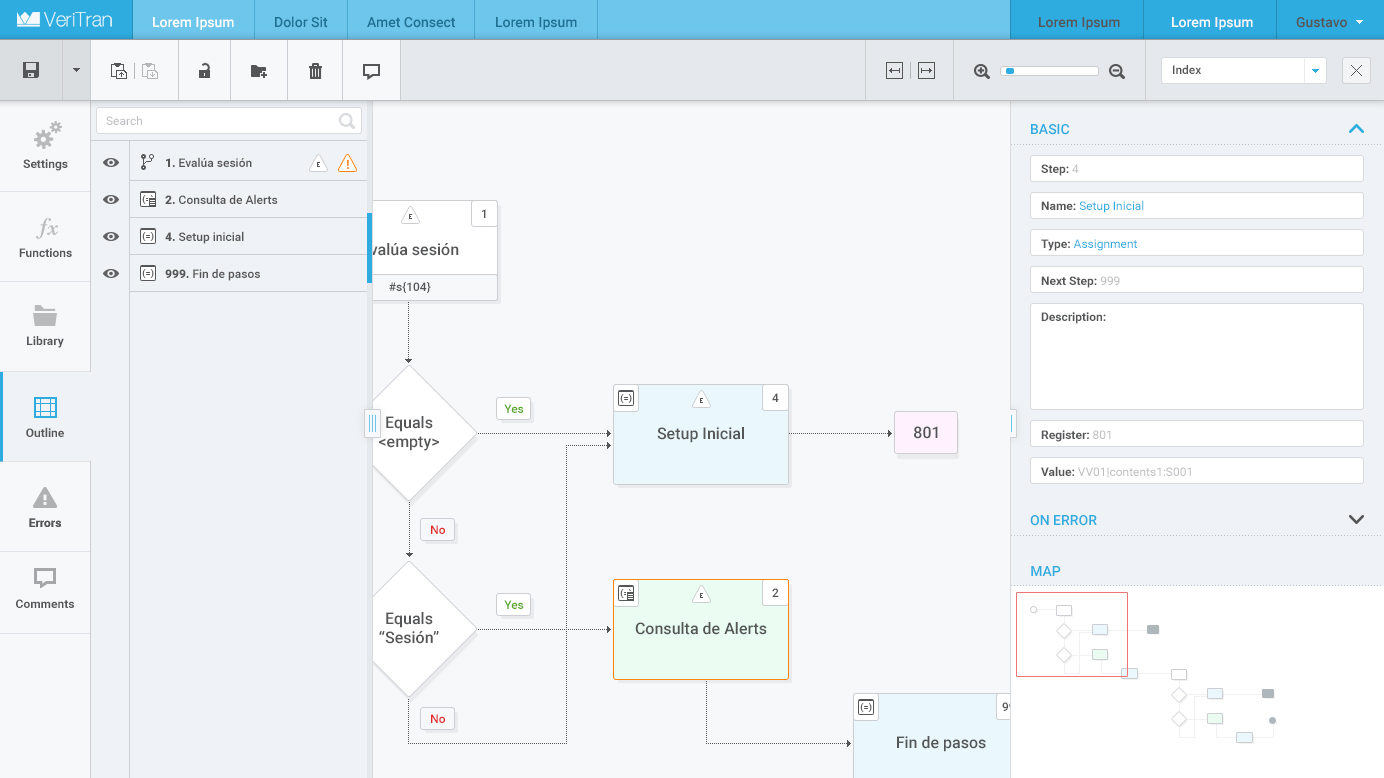
Processes are the logic that runs on the device. Each step of the process is a box in the diagram:
- Conditions, loops, assignments, bulk assignments and math operations.
- Transformation functions, for example for text and arrays.
- Caches.
- Reusable processes: a process can be included inside another one.
The editor has a tree view, a navigation map, an editor for each step, an error panel and comments.
Transactions
Transactions run on the server, in Veritran's Middleware, and integrate with the bank's services. Each flow is built with connected boxes: some connections set the execution order and others the data flow.
- Conditions, iterators, constants and variables.
- Composing and decomposing objects.
- Functions for dates, numbers, text and booleans, and conversions between types.
- JavaScript scripts: a script box runs code that uses the transaction context and the inputs and outputs of the box. It is written in an editor with syntax highlighting and error marking.
- Calls to external services, through SOAP (very common in banks) or REST.
- Reusable procedures within the transaction.
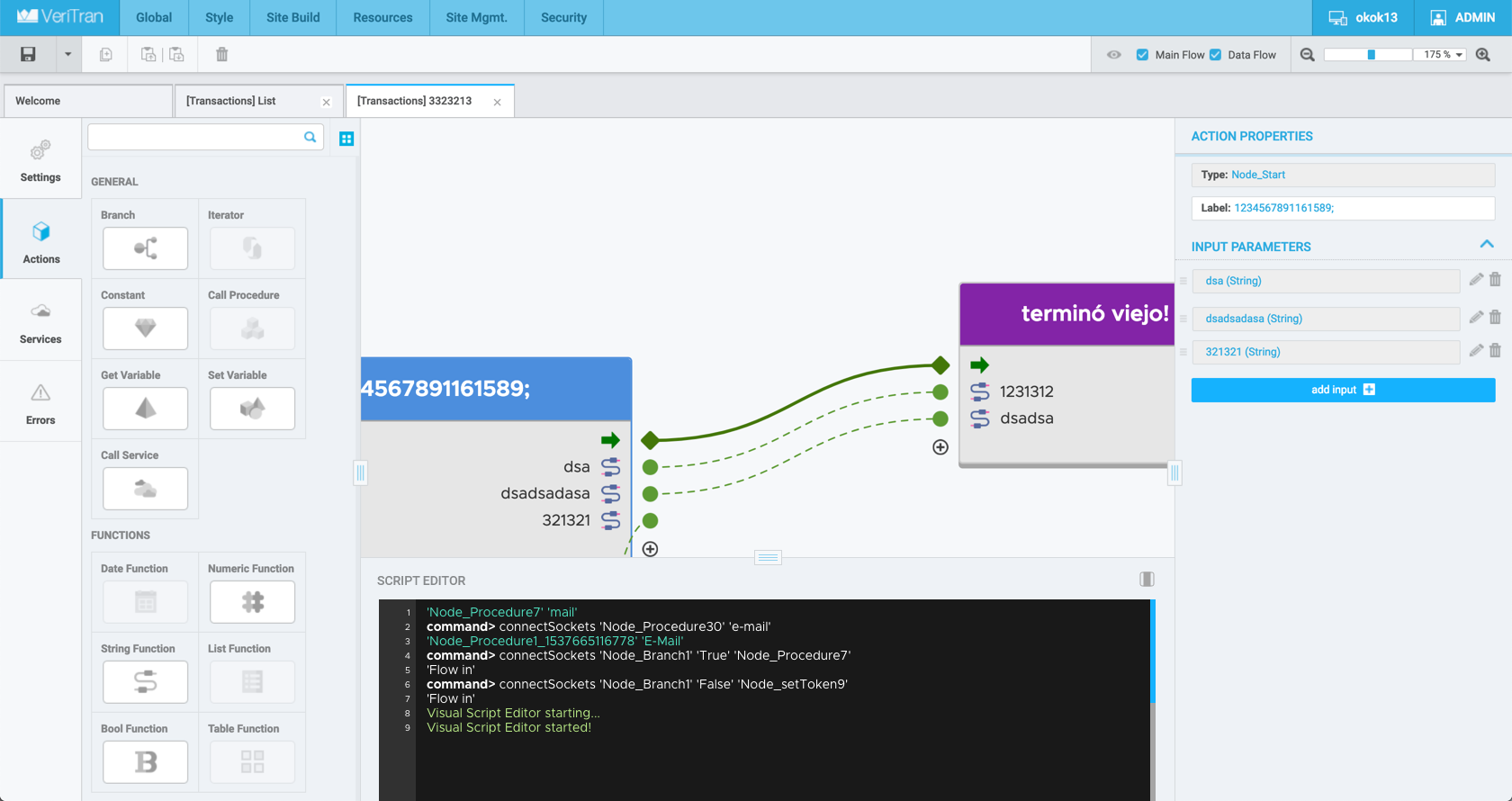
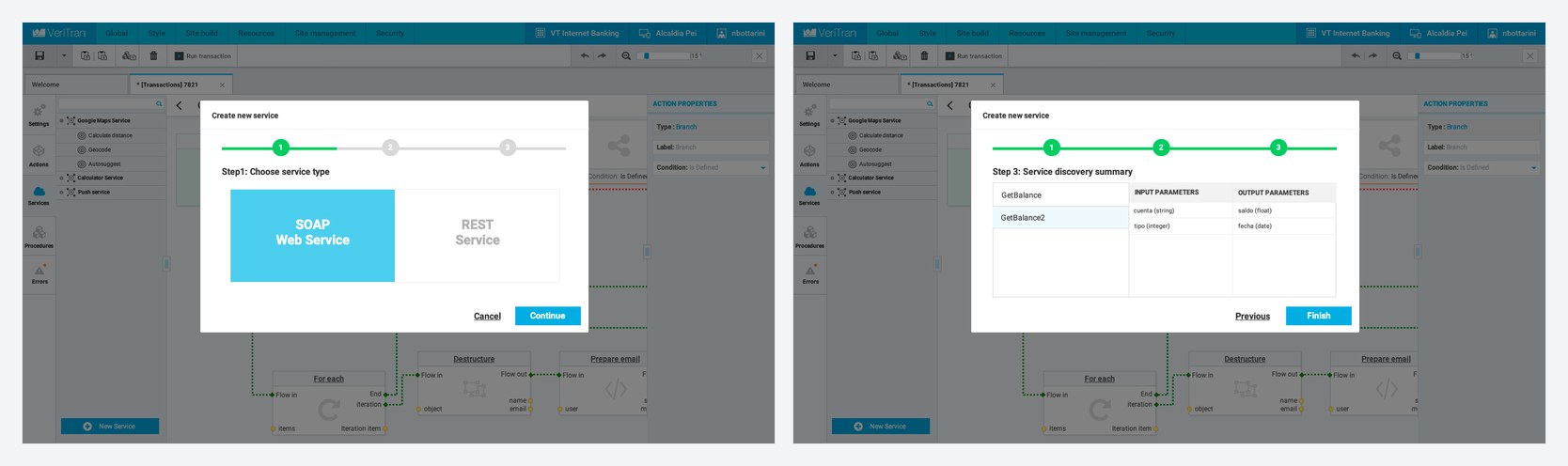
There are also fintech-specific actions, such as reading a card, accessing a saved password or sending an SMS or an email.
Other projects with Veritran
- VTChat: a support chat widget for banks, built with Comet, that could be included from the Designer.
- Accessibility: we analyzed the platform and added accessibility support to all components, layouts and screens, so the apps can be used with screen readers such as VoiceOver and TalkBack. Each component has accessibility attributes, such as its role, the text that is read and the reading order.
Consulting
Besides development, I did consulting for Veritran. I worked together with their CTO and their technical teams.
Cross-functional teams
The teams were split by application layer: Android, iOS, web, API, Designer. Releasing a new type of component took a very long time, because the backlogs of all the teams had to be coordinated.
Under my leadership they created their first cross-functional team, with members from each team. Working as a mob, everyone learned to build components in every technology and we managed to release components on all platforms quickly. It also broke knowledge silos: each team implemented the same component in its own way, and by working together they could compare those differences.
We did mob programming all the time: a big screen, several keyboards and mice, and rotations every 7 to 15 minutes.
Technical excellence
- I gave them my talks on technical practices, agile, object-oriented programming, TDD and advanced TDD.
- I trained their teams in technical excellence practices: XP, TDD and its different schools, and refactoring.
- I taught them architecture and design principles: clean code, SOLID, coupling and cohesion, Law of Demeter, Tell Don't Ask, YAGNI and the Balanced Abstraction Principle.
- We did a lot of refactoring together, mostly of legacy code: we decoupled a monolith, made it testable and moved some parts from Java to Kotlin.
- We did katas to practice techniques and design principles.
- We did reading workshops on foundational books.
Agility and strategy
- I taught them agile methodologies and Lean, how to control WIP and how to do trunk-based development with continuous integration.
- I helped them with strategic analyses, such as the impact of migrating to React Native or a widget marketplace.